01
Every feature. One price.
Every shop gets every feature, with unlimited technicians, dispatchers and owners. No tiers, no add-ons to unlock, no seat fees.
ONE COMPANY PRICESee pricingDispatch jobs, keep equipment history, send invoices and take payments—with unlimited technicians and office staff.
See how it works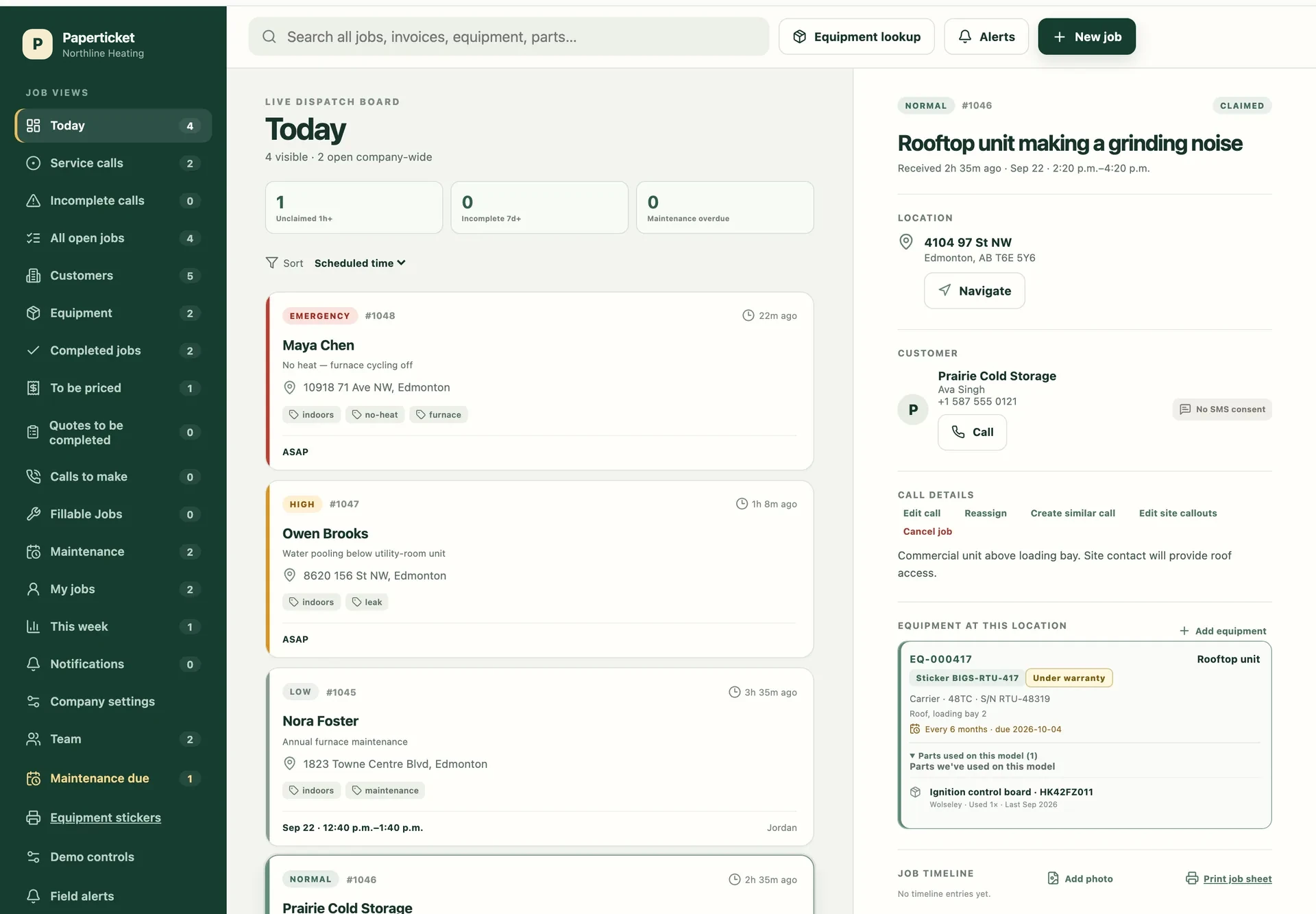
The office view · real product, sample jobs
THREE REASONS TO LOOK CLOSER
You already know what dispatch software does. Here’s what to look at when deciding whether Paperticket fits your shop.
Every shop gets every feature, with unlimited technicians, dispatchers and owners. No tiers, no add-ons to unlock, no seat fees.
ONE COMPANY PRICESee pricingKeep specs, photos and service history together. Print your own QR labels so the next visit starts with the right equipment record.
EQUIPMENT & QR LABELSSee the QR workflowSee which units are due or overdue, preview the seasonal visits, and bring every due unit at a site into one job.
SEASONAL MAINTENANCETry it in the sample shopFROM DISPATCH TO INVOICE
Find the customer and site, capture the problem, then offer or assign the job. The office and technician work from the same details.
Send an arrival text from your shop’s number. Customer replies stay on the job timeline.
Open the equipment record for specs, photos and previous service. Add work notes and parts as the visit progresses.
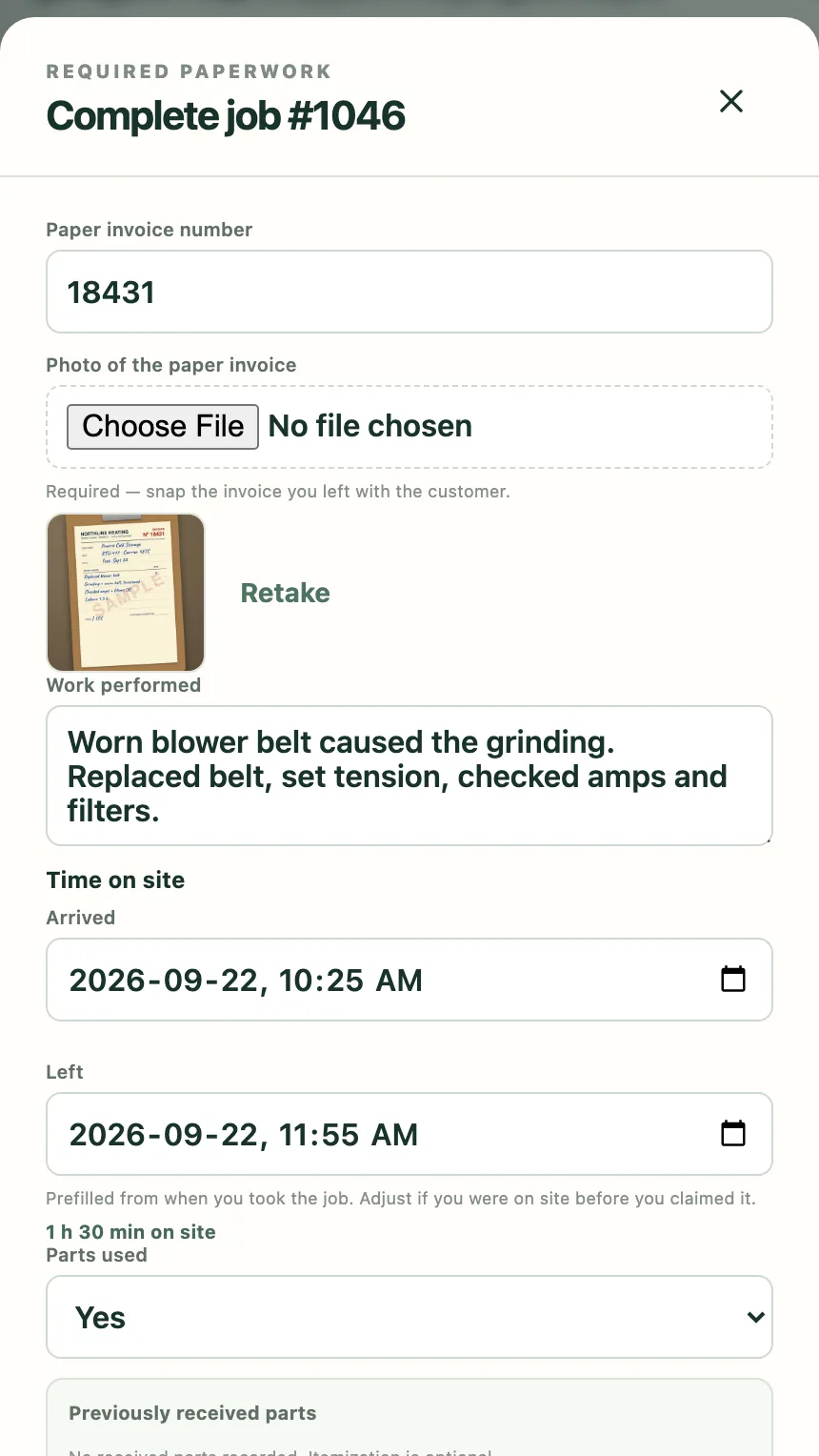
03 · COMPLETE THE VISITRecord work, photos and time before leaving. No signal on site? The job stays open, and notes, photos and the closeout send themselves once signal is back.
Review the job, create the invoice and offer online payment. Or keep your existing billing system with paper-slip capture and CSV exports.
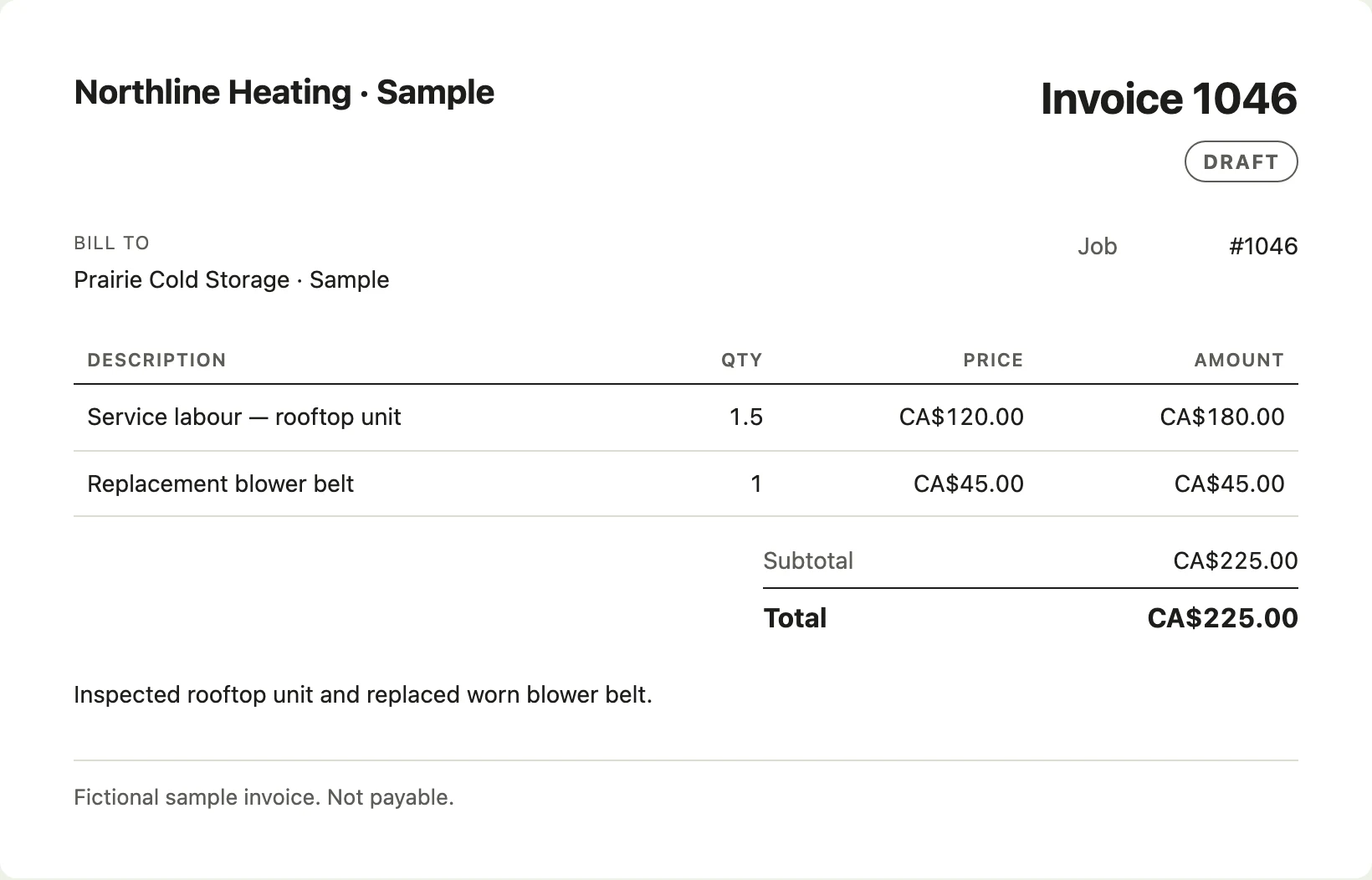
Product screens use sample data.
ALREADY USING SERVICE SOFTWARE?
Start with the part of your day you want to improve: finding equipment history, recording work without signal, or adding people without another seat fee.
Import customers, sites and equipment from CSV. Review the mapping and preview before importing. Historical jobs, unpaid balances and open commitments need a separate migration plan.
Explore the sample shop with no signup, then use the trial to check your own equipment and a typical service visit. Confirm what your office needs before moving the whole shop.
Discuss your moveONE PLAN. EVERY FEATURE.
No tiers, no add-ons to unlock, no seat fees. Add technicians, dispatchers and owners without increasing your subscription. For service businesses across Canada.
In the US? getpaperticket.com
Unlimited users and technicians.
Or CA$1,990 billed annually. Two months free — save CA$398/year (16.7%). Same features. Choose your billing frequency after your trial.
14-day free trial. No credit card required. No automatic charges without explicit checkout.
Online payments require Stripe setup. Payment processing fees are separate. Label stock and printing are supplied by your shop.
AI features and texting have monthly fair-use limits. Free trials include about 50 arrival texts from your shop’s own number.
Start your free trialImport customers, sites and equipment from CSV, with a preview before saving. Historical jobs, unpaid balances and open commitments need a separate migration plan; contact us to discuss your data before switching.
No. One company subscription includes unlimited technicians, dispatchers and owners. Payment processing fees are separate, and usage conditions apply to optional services.
Yes. Create invoices and connect your shop’s Stripe account to offer online payments. Payment methods depend on your country and Stripe setup; processing fees apply. You can also keep your existing billing workflow and export CSVs.
Service businesses with a small crew, a busy office and plenty of calls to keep track of. Choose heating and cooling, refrigeration, plumbing, electrical or general service, or several trades at once; each sets starting defaults for equipment, job tags and optional refrigerant fields that you can adjust later. Technicians, dispatchers and owners each have views suited to their work.
Yes. Record the invoice number and photograph the slip at closeout. Completed work then waits in To be priced with the technician’s notes, parts and time on site. The office can mark it priced and billed.
Yes. Send an arrival text from the job and receive customer replies on the job timeline, with alerts for the office. This covers arrival updates and replies, not a general chat inbox. Turn texting on from Company settings; your shop gets its own local number. Texting is available to shops in Canada; it isn’t available for US shops yet. The demo simulates texts.
Paperticket runs in the browser on the phones your crew already carries and on the office computer. Add it to the phone’s home screen for quick access.
Jobs already on the phone stay open. Notes, photos and closeouts are saved on the phone and send themselves once signal is back. Accepting a new job and sending a text need signal.
The monthly subscription is CA$199/month per company, tax included. New shops start with a 14-day free trial—no credit card required. After the trial, pricing is a flat monthly rate per company with every feature included and unlimited users and technicians: no tiers, no add-ons to unlock and no per-user fees. Creating an account never starts automatic charges without explicit checkout.
Absolutely. The demo uses sample calls and a sample team, with changes saved only in your browser. Switch between office, technician and owner roles, walk through a job, and reset the demo whenever you like. Demo texts are simulated.
YOUR SHOP STARTS HERE
Start your 14-day free trial. Confirm your email, set up your shop, and invite your crew.
Start your 14-day trial on Paperticket. Set up your shop and invite your crew.
Create account 14-day free trial · Flat rate per company, unlimited crew. No credit card required.